Letting vendors run their own campaigns
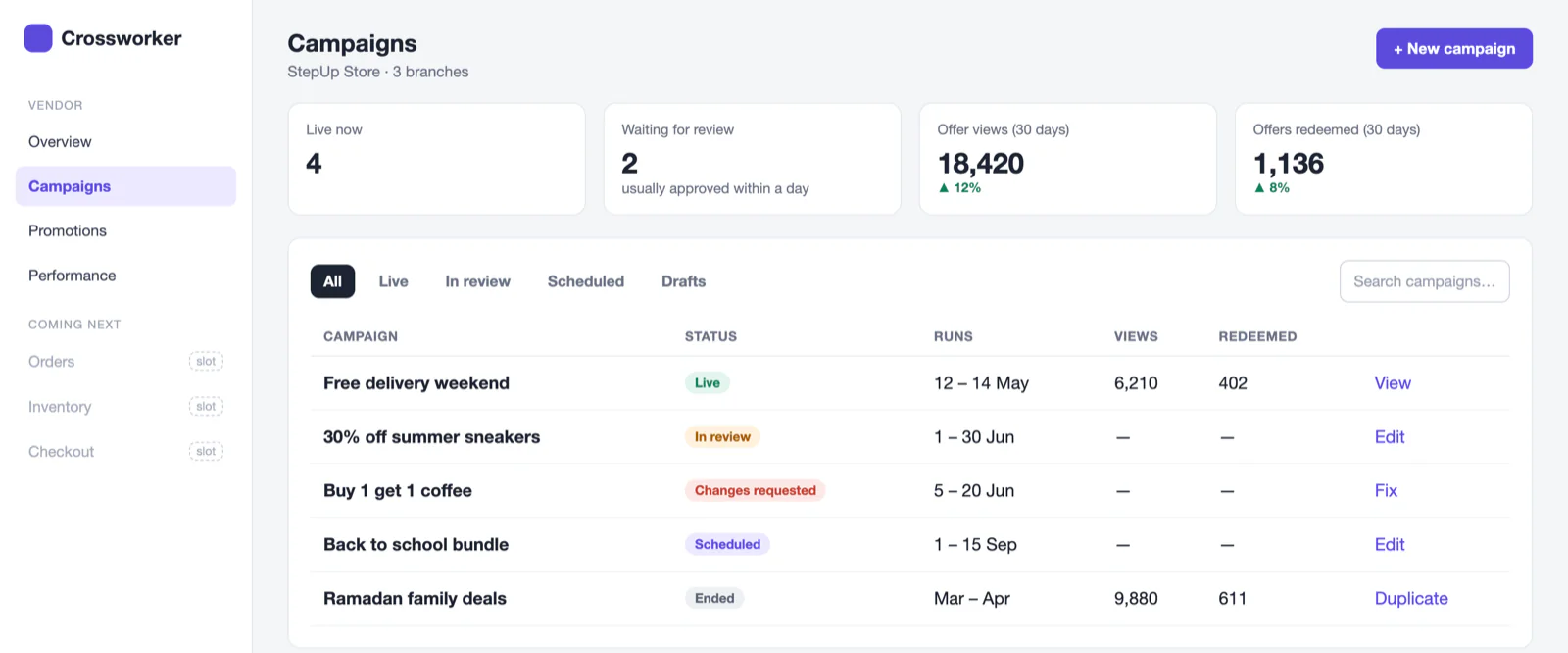
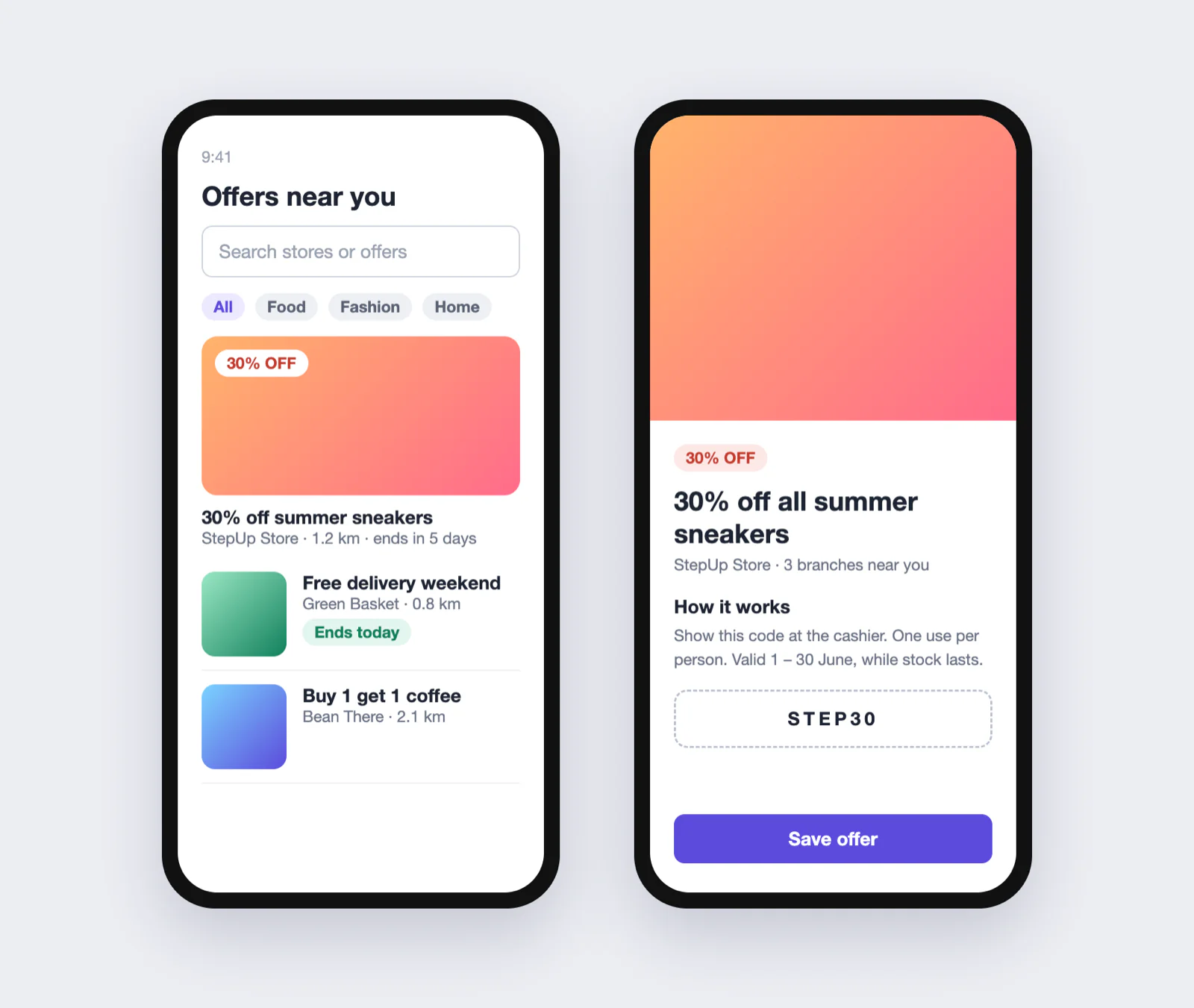
Crossworker is a promotions platform with two sides: a mobile app where shoppers find offers, and a dashboard where shops publish them. When I joined, vendors emailed their campaigns and an admin retyped everything by hand. My job was to design both sides and take the admin out of the middle.
- Campaign builder
- 4 steps
- Vendor and admin views
- 1 card
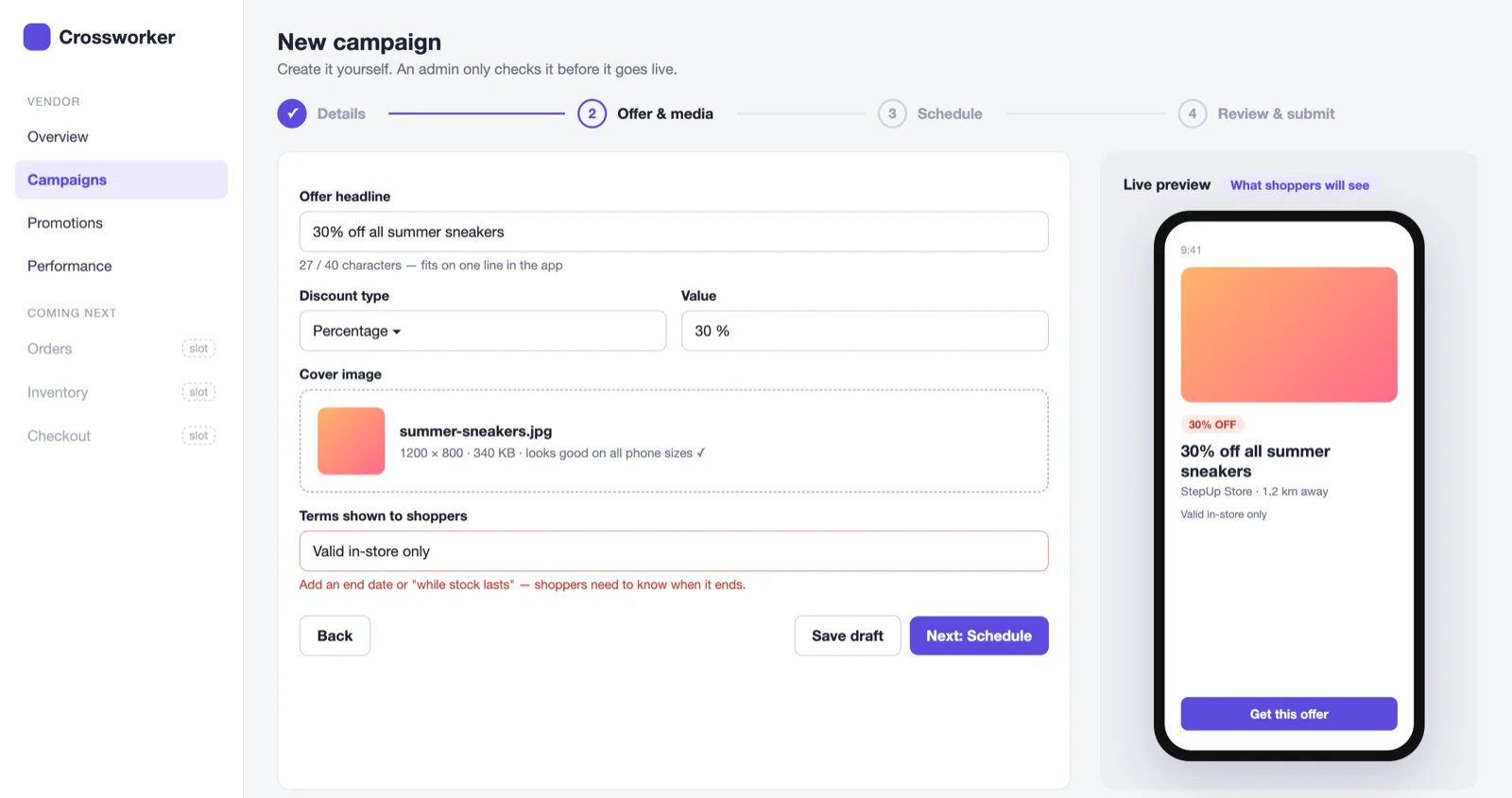
Step 2, offer and media. The error message tells the vendor what to add and why, instead of just “invalid”.
I no longer have access to the original Figma files, so I recreated the key screens for this case study. The flows and structure are the same as what I designed; store names and numbers are sample data.
A campaign builder vendors can use on their own
I broke campaign creation into four short steps: details, offer and media, schedule, review. The part I’m happiest with is the live phone preview. Vendors see exactly what shoppers will see while they type, so most mistakes get caught before anyone reviews them.
One campaign card, two roles
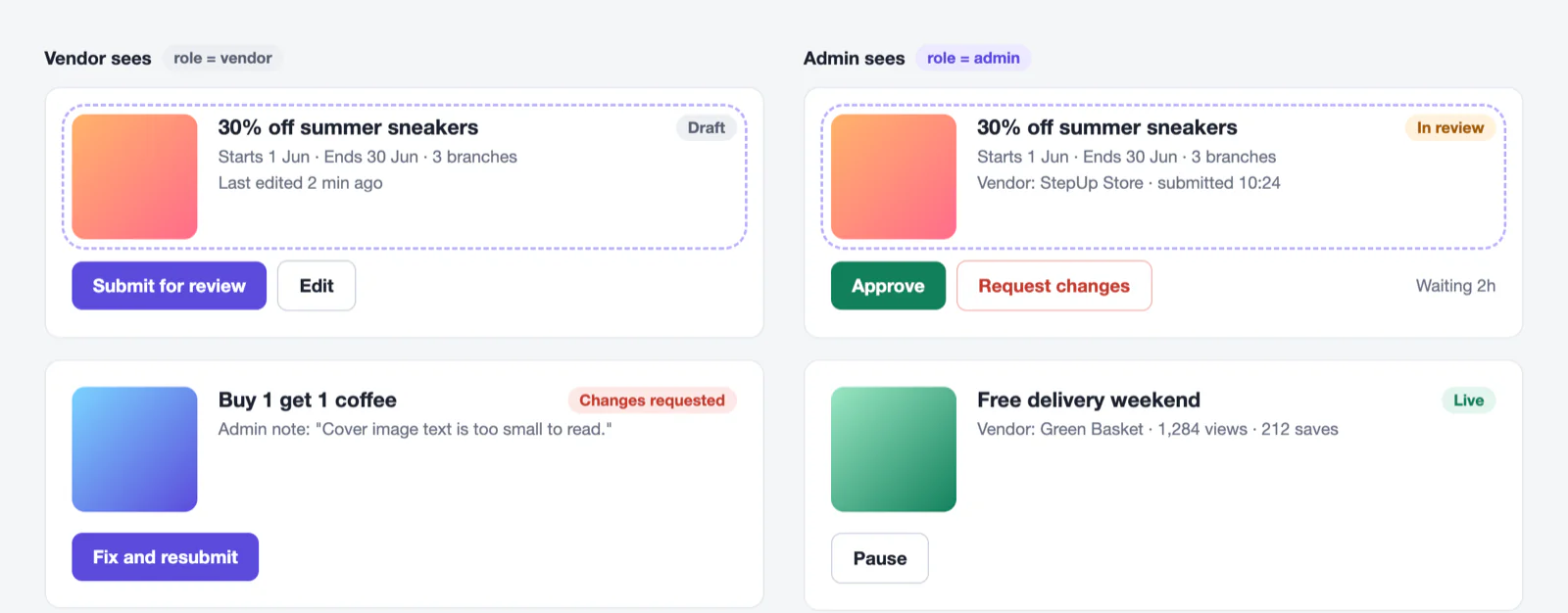
Instead of a vendor screen and an admin screen, I designed one campaign card. Vendors see Submit for review or Fix and resubmit. Admins see the same card with Approve and Request changes.
Admins asked for their own console; I argued for one shared card because it halved the engineering work and the two views could never disagree.
Navigation with room to grow
I organised the dashboard around what vendors manage (campaigns, promotions, performance) and kept places for Orders, Inventory and Checkout from day one, so they could slot in later without a redesign.