Turning a paper process across several agencies into one online application
Egyptians who work abroad can import a car to Egypt under a dedicated law, but applying meant paperwork at several agencies. For Get Group Holding I designed the app that replaced it: an Arabic flow that takes people from a fee estimate to a submitted request, with status tracking after.
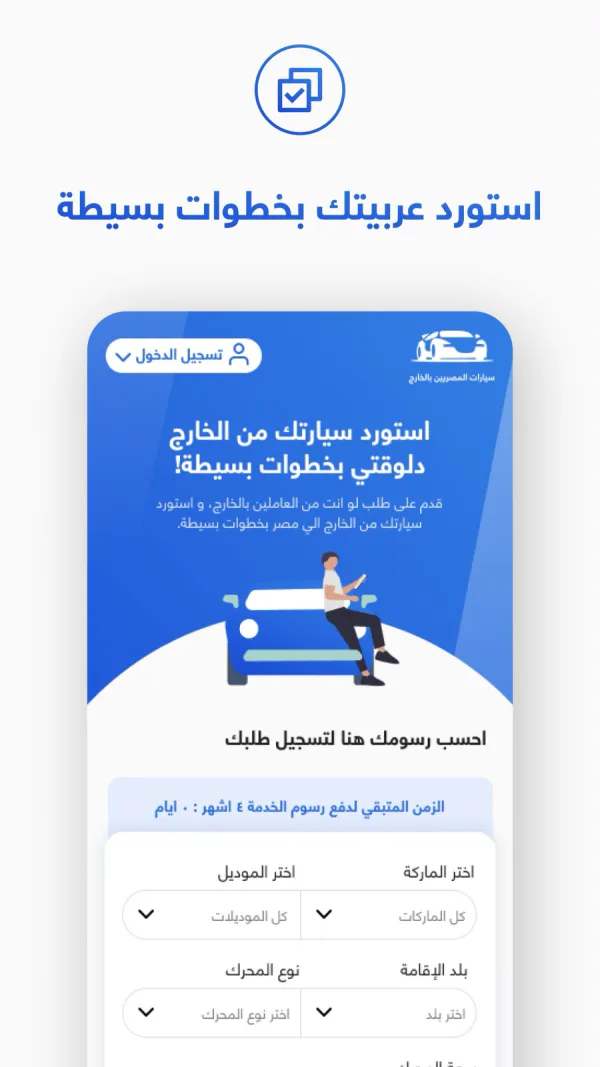
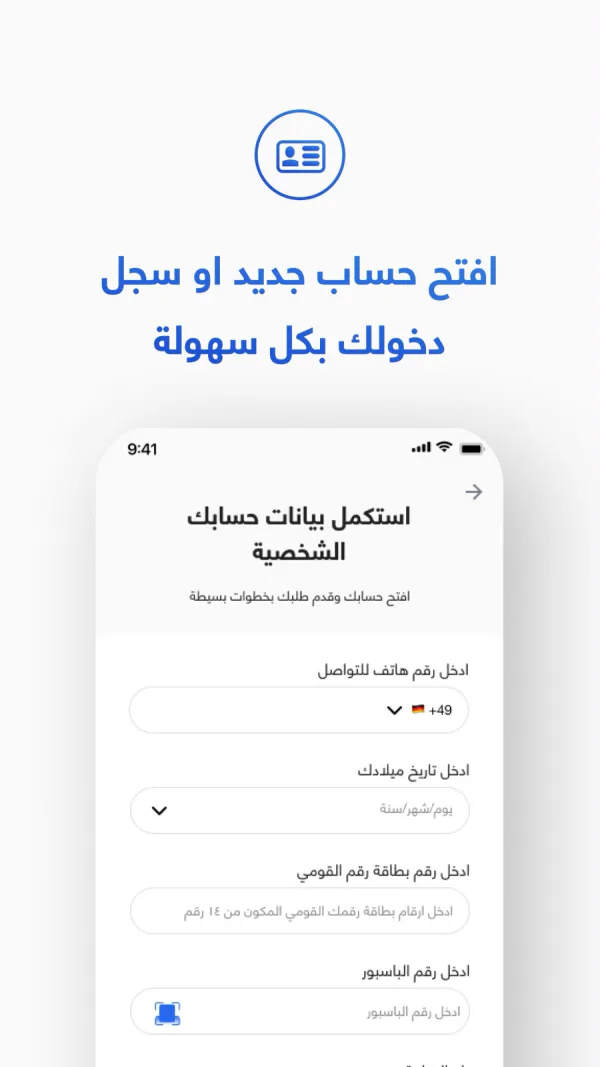
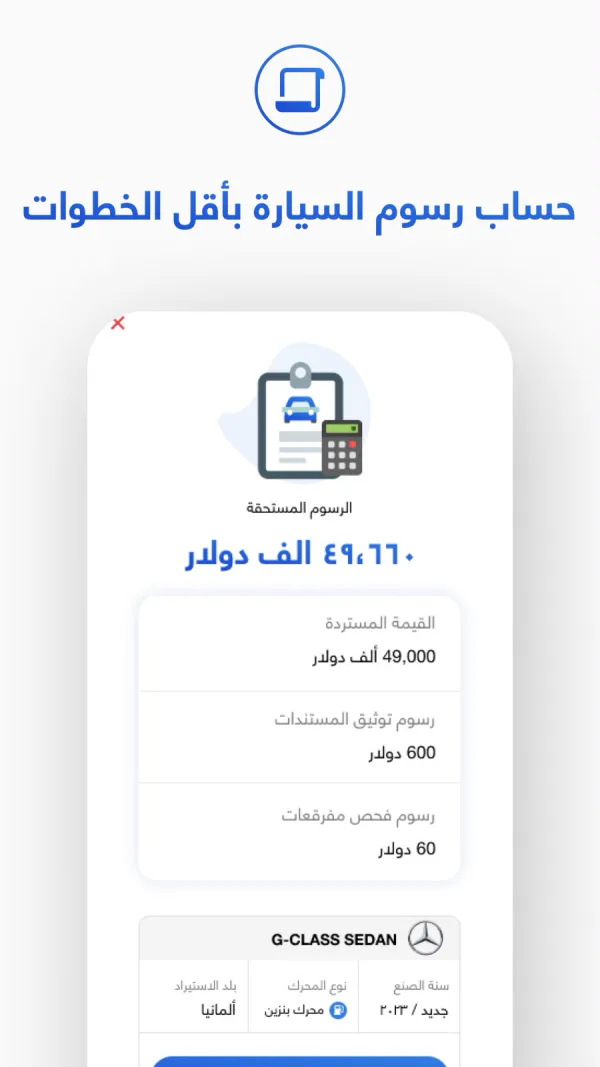
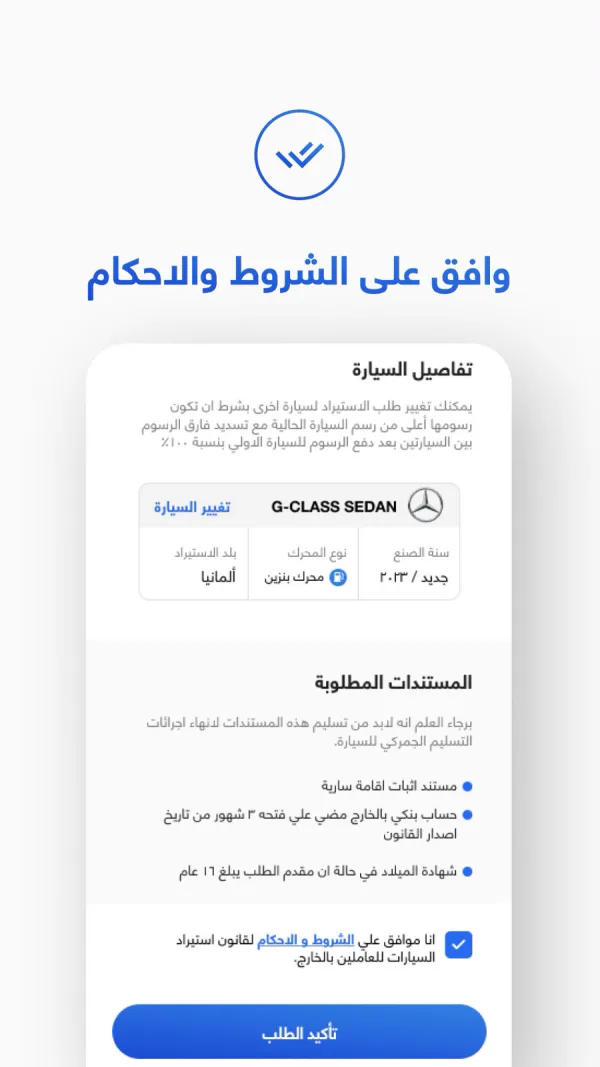
A short write-up. The screens are the app’s store screenshots, in Arabic; the descriptions below translate what they show.
Show the cost before asking for anything
The first screen is a fee calculator, not a sign-up form. People choose the car’s brand and model, their country of residence and the engine type, and see what they would pay before they create an account. A banner above the calculator shows how much time is left to pay the service fee.
Identity details in one short form
The account step asks only for what the application needs to identify someone: a phone number with country code, date of birth, the 14-digit national ID and the passport number. A scan button next to the passport field saves typing it in.
Fees broken down, not just a total
The fee screen leads with the total due, then lists each part on its own line: the refundable amount, the document authentication fee and the inspection fee. The chosen car stays visible underneath, so people can check what they’re paying for.
No surprises before submitting
Before the request is sent, one screen gathers everything people are agreeing to: the car, with a link to change it and the rule for switching to another one; the documents they will need to hand in, such as proof of residence and a bank account abroad; and the terms of the law. The confirm button comes at the end of that list.